


Logic Pro 11.1.0
Logic Pro 11.1.0 gives you AI session players, Dolby Atmos spatial audio, Live Loops, and pro recording tools for macOS. Complete music production DAW.
Original price was: $199.99.$55.00Current price is: $55.00.
Description
Logic Pro 11.1.0: Professional DAW with Spatial Audio and AI Tools
You know the feeling when a DAW just gets out of your way and lets you work? Logic Pro 11.1.0 is built for exactly that. It’s a full production environment that handles everything from recording a single vocal track to mixing a full film score in Dolby Atmos — all without forcing you through complicated menus or disconnected workflows.
This version builds on Logic Pro’s long track record with some genuinely useful additions: AI-powered session players that actually listen to your music, a complete spatial audio toolkit for Dolby Atmos, and workflow improvements that save real time. Whether you’re tracking live instruments, producing electronic music, scoring for picture, or mixing for streaming, Logic Pro 11.1.0 has the tools ready when you need them.
🎵 What Makes Logic Pro 11.1.0 Special
AI-Enhanced Session Players: Virtual Musicians That Actually Listen
Building on Logic Pro’s popular Drummer feature, version 11 introduces Session Players — AI-powered virtual bassist and keyboardist that adapt to what you’re playing. Drop them into a track, and they analyze your chord progressions, rhythmic feel, and musical context to generate bass lines and keyboard parts that sound like a real musician.
The Studio Bass player gives you six deeply-sampled acoustic and electric basses with multiple playing styles and articulations. The Studio Piano offers three meticulously-sampled pianos with expressive performance controls. Both let you adjust style, complexity, and variation — so you stay in creative control while the AI handles the busywork.
Spatial Audio: Mix in Dolby Atmos Without the Headache
Logic Pro 11.1.0 includes a complete spatial audio authoring environment for creating, mixing, and exporting in Dolby Atmos. No extra software needed, no complex setup. The spatial audio tools work directly with Logic’s mixer and automation, making the jump from stereo to immersive mixing feel natural rather than intimidating.
Key features include object-based audio placement, height channel processing, spatial panners, and professional monitoring tools. You can export Dolby Atmos ADM files compatible with Apple Music and other streaming platforms, plus handle downmix and trim options for different channel configurations.
Ready for Professional Music Production?
Add Logic Pro 11.1.0 to your studio and access complete recording, editing, mixing, and spatial audio capabilities
Recording and Editing: Built for Real Workflows
Logic Pro 11.1.0 gives you unlimited audio and MIDI tracks, Quick Swipe Comping for comping takes, Track Alternatives for different edit versions, and Flex Time for non-destructive audio timing adjustments. Flex Pitch handles correction and manipulation while keeping vocals sounding natural. Smart Tempo automatically conforms imported audio to your project tempo — no more manual time-stretching.
Creative Tools That Inspire
Live Loops gives you a grid-based environment for electronic music, improvisation, and live performance. Trigger loops, samples, and recordings in non-linear arrangements — great for EDM, hip-hop, and experimental work. Drum Machine Designer lets you build custom drum kits with individual processing, and Step Sequencer handles pattern-based programming for drums, bass, and melodies.
Instruments and Effects: Everything Included
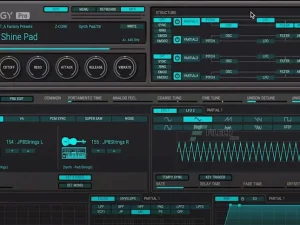
Logic Pro ships with an extensive collection of virtual instruments: analog synthesis, wavetable, FM, additive, granular, spectral, and physical modeling. Alchemy is a standout for deep sample-based sound design. The effects collection spans vintage and modern processors — EQs, compressors, delays, reverbs, modulation effects. Guitarists get Amp Designer with vintage and modern amp models plus Pedalboard for custom stompbox chains.
Workflow Improvements in 11.1.0
Bounce in Place now supports realtime recording for external instrument tracks. MIDI from supported instruments can be routed to other tracks for creative layering. Enhanced key commands speed up detailed editing. Three new Producer Packs from Hardwell, The Kount, and Cory Wong provide specialized sounds and templates. A multi-track project of “Swing!” by Ellie Dixon comes included as a demo.
Start Creating Professional Music Today
Join producers worldwide who rely on Logic Pro for its comprehensive features, professional quality, and intuitive workflow
Why Choose Logic Pro 11.1.0?
Virtual bassist and keyboardist that adapt to your track in real time
Full spatial audio mixing and export without extra software
Pay once and own it — all future updates included
Massive sound library covering every genre and style
Runs natively on M-series Macs for maximum performance
Vintage EQs, compressors, and creative effects included
Frequently Asked Questions
Click a question to expand the answer.
How do the AI session players actually work?
What are the system requirements?
Can I use third-party plugins with Logic Pro?
What’s the difference between Logic Pro 11.1.0 and 11.2.0?
Ecosystem and Compatibility
Logic Remote turns your iPad or iPhone into a wireless control surface for performing and mixing from anywhere in your studio. Share to GarageBand lets you add tracks from iOS via iCloud. XML import/export supports Final Cut Pro workflows for film and video scoring. Export spatial audio as Dolby Atmos ADM files for Apple Music, share directly to SoundCloud, or export in standard formats for any distribution channel.
For more on what makes Logic Pro tick, check out Sound On Sound’s in-depth review of Logic Pro 11. If you’re building out your plugin collection, browse our range of virtual instruments for Logic Pro to expand its already generous sound palette.
Reviews
There are no reviews yet.