

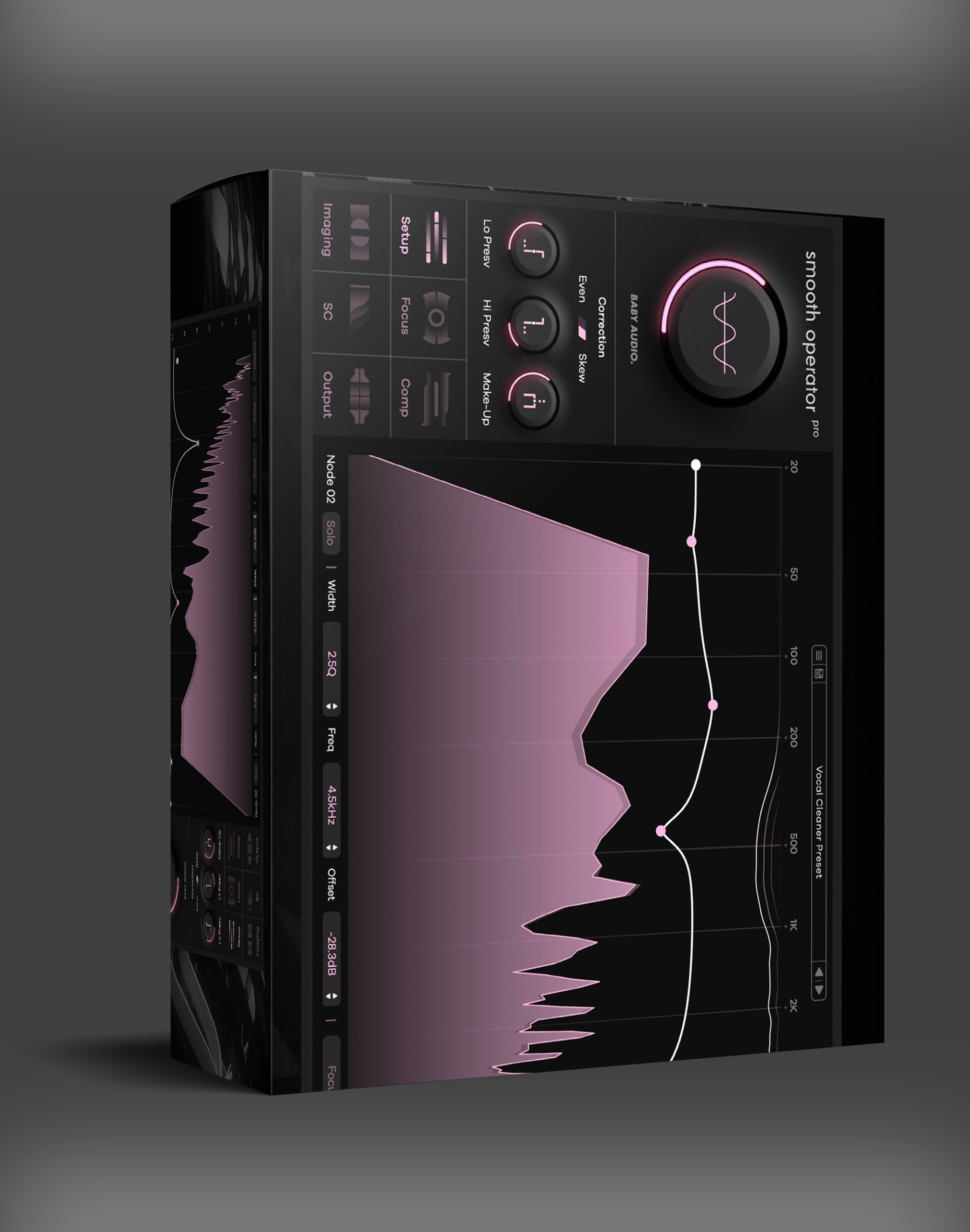
Baby Audio Smooth Operator Pro — Spectral Balancing Plugin
Baby Audio Smooth Operator Pro: Spectral balancing plugin for mix clarity with target curve processing, 184 pro presets. VST/VST3/AU/AAX, Apple Silicon native.
Original price was: $79.00.$40.00Current price is: $40.00.
Description
Baby Audio Smooth Operator Pro — Clearer Mixes Through Spectral Balancing
Dealing with frequency buildup and resonance issues usually means multiple EQ adjustments, dynamic processing, and careful listening to identify problem areas. It’s time-consuming, and traditional EQ often affects more than just the problematic frequencies. Baby Audio Smooth Operator Pro takes a different approach — it targets specific frequency particles rather than applying broad EQ curves. You set a target curve and the plugin dynamically rebalances audio, reducing mud, harshness, and frequency masking without the side effects of aggressive EQ.
What makes Smooth Operator Pro stand out isn’t just the processing method — it’s how the plugin gives you both automated correction and detailed manual control. Start with preset target curves for quick fixes, then adjust individual frequency nodes for surgical precision.
🎯 Why Choose Smooth Operator Pro
Define your desired balance — the plugin adjusts audio dynamically toward that target
Add or adjust individual frequency nodes for precise problem-area targeting
Start with expert-curated settings for vocals, drums, mixes, and more
Dynamic processing that responds to specific frequency ranges
Phase-coherent processing for mastering and critical listening
Fully compatible with M1/M2/M3 Macs plus VST/AU/AAX on Windows
How Spectral Processing Works
Traditional EQ adjusts broad frequency bands. If you have a resonance at 2.5 kHz, cutting that band also affects everything else at that frequency — including desirable musical content. Smooth Operator Pro works differently by analyzing the spectral content and applying gain reduction only to specific frequency particles that exceed the target curve.
This means you can reduce harshness in a vocal without dulling the overall brightness, or clean up low-mid muddiness in a mix without removing the weight of the kick drum. The processing is frequency-selective and dynamic, responding to the actual content rather than applying static EQ curves.
The plugin offers multiple processing modes. The Classic mode provides transparent spectral balancing for general mixing and mastering. The Advanced mode gives you full control over node placement, Q factors, and individual frequency band processing. The Sidechain mode allows spectral ducking — reducing specific frequencies in one signal based on another, perfect for creating space in dense mixes.
Practical Applications
Vocal Cleaning: Place Smooth Operator Pro on a vocal track to tame harsh sibilance and nasal resonances while preserving the natural character. The target curve approach means you can set the desired tonal balance and let the plugin do the work, rather than manually EQing every problematic frequency.
Mix Bus Processing: On the master bus, use Smooth Operator Pro to address cumulative frequency buildup from multiple tracks. The linear phase mode ensures phase coherence, making it suitable for final mix processing where phase accuracy matters.
Drum Room Cleaning: Apply to room microphones or overheads to reduce cymbal harshness and resonance buildup. The spectral processing preserves the natural ambience while removing the harsh frequencies that can make drum recordings fatiguing.
Sound Design: Use the spectral ducking mode creatively. Route a kick drum to the sidechain input and have Smooth Operator Pro duck specific frequencies in a pad or bass sound, creating rhythmic spectral movement that adds energy to your tracks.
Interface and Workflow
The plugin presents a clean, intuitive interface. The main display shows the spectral content of your audio with the target curve overlaid. You can add, move, and remove frequency nodes directly on the display, with real-time visual feedback showing how the processing affects the spectrum. The preset browser gives you quick access to the 184 included presets, organized by application (vocals, drums, mix bus, etc.) and genre.
The control panel includes global parameters for processing intensity, attack and release times, and the mix knob for parallel processing. The output section provides level metering and limiting to prevent clipping when the processing adds gain.
BABY AUDIO SMOOTH OPERATOR PRO
Ready for Clearer Mixes?
Get spectral balancing with target curve processing and 184 professional presets.
Add Baby Audio Smooth Operator Pro to Cart — $40
Instant digital download · VST/VST3/AU/AAX · Apple Silicon native
FAQ
How is this different from a standard EQ?
Standard EQ adjusts entire frequency bands, affecting all content at those frequencies. Smooth Operator Pro applies gain reduction selectively to specific frequency particles that exceed the target curve, leaving desirable content untouched. It’s more precise and dynamic than static EQ.
Can I use it on individual tracks?
Yes — it works well on individual tracks (vocals, drums, guitars) and buses. The linear phase mode is ideal for mastering, while the standard mode works great for mixing.
What’s the difference between the Pro and standard versions?
Smooth Operator Pro adds spectral ducking/sidechain capabilities, linear phase mode, advanced node-based editing, and a larger preset library (184 vs the standard version’s smaller selection).
What formats are supported?
VST2, VST3, AU, and AAX. Windows and macOS (including Apple Silicon natively).
If you’re building a mixing toolkit, check out our selection of professional mixing plugins for complementary tools. Visit the Baby Audio official site for more details and tutorials.




Reviews
There are no reviews yet.