
Sippin’ Pro Bundle — Vocal Presets for Toronto Hip Hop Sound
Sippin’ Pro Bundle includes lead vocal, ad-lib, and mastering presets for the Toronto hip hop sound. Works with FL Studio, Logic Pro, Ableton Live, Pro Tools, and Studio One.
Original price was: $23.00.$12.00Current price is: $12.00.
Description
Sippin’ Pro Bundle — Vocal Presets for Modern Hip Hop Production
Getting that polished, radio-ready vocal sound is one of the biggest challenges in music production. The Sippin’ Pro Bundle delivers professional vocal presets designed to give your tracks the lush, contemporary sound heard in today’s hip hop scene — complete with the reverb tails, tuned harmonies, and crisp EQ that define modern rap vocals.
This preset bundle was built with the Toronto hip hop sound in mind — the style made famous by artists like NAV, Drake, and The Weeknd. Every preset was crafted with attention to detail, capturing the lush reverbs, heavy Auto-Tune, and crisp EQs that make those records stand out. Whether you’re recording vocals for a trap banger or a melodic R&B track, these presets give you a professional starting point.
🎤 What’s Included
Main vocal chain with compression, EQ, reverb, and pitch correction routing
Optimized for ad-libs and background vocals with spatial processing
The exact mastering chain used on the original track — ready for your songs
Works with FL Studio, Logic Pro X, Ableton Live, Pro Tools, and Studio One
Uses your DAW’s built-in plugins — no expensive third-party purchases needed
Works with Auto-Tune, Nectar 3, Waves Tune, MAutoPitch, and Logic Pitch
What is the Pro Bundle?
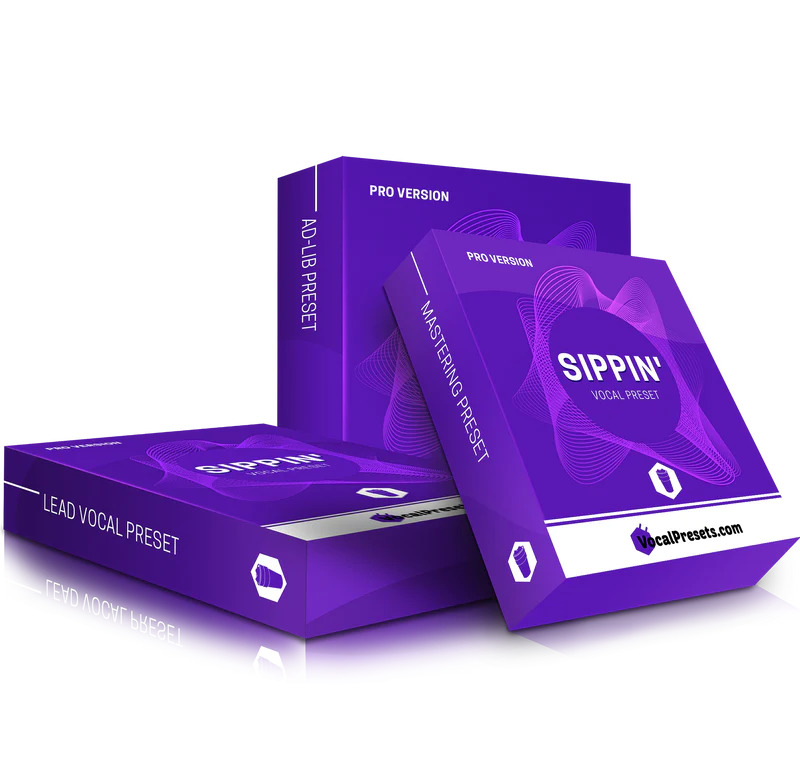
The Sippin’ Pro Bundle includes three presets designed to work together as a complete vocal production chain:
Sippin’ Pro Lead Vocal Preset: This is your main vocal chain. It includes compression for consistent levels, EQ for clarity and presence, reverb for space and depth, and routing for your pitch correction plugin of choice. The preset is designed to give you that polished, modern hip hop vocal sound right out of the box.
Sippin’ Ad-Lib Preset: Ad-libs are a defining feature of modern hip hop, and this preset is tuned specifically for background vocals and ad-lib layers. It features complementary processing that sits behind the lead vocal, with spatial effects that create width and depth without cluttering the mix.
Sippin’ Mastering Preset: This is the exact mastering preset used on the track “Sippin’.” Apply it to your final mix for similar tonal balance, dynamic control, and loudness characteristics. It’s a complete mastering chain that gives you a professional starting point for your own songs.
Compatibility and Setup
The presets are compatible with FL Studio 20, Logic Pro X, Ableton Live 10, Pro Tools 2020, and Presonus Studio One 5. They utilize your DAW’s stock plugins — the tools you already have — with smart routing and settings optimized for professional vocal production.
For pitch correction, you can use any of the following: Auto-Tune Pro, Auto-Tune 8.1, Auto-Tune Artist, Auto-Tune EFX, Auto-Tune Access, iZotope Nectar 3, Waves Tune Real-Time, MAutoPitch Free, or Logic Pitch Free. The presets include routing for your chosen pitch correction plugin.
Files are organized by DAW in clearly labeled folders, making it easy to find the right preset for your system. After purchase, you’ll receive the download link via email for instant access.
Get Professional Vocal Presets Today
Lead vocal, ad-lib, and mastering presets for modern hip hop production
How Presets Help Your Workflow
Vocal presets save hours of dialing-in time by giving you a professional starting point. Instead of building a vocal chain from scratch on every project, load the Sippin’ Pro Lead preset and fine-tune to your specific vocalist. The compression, EQ, and reverb settings are already optimized for the modern hip hop sound — you just adjust input levels and make minor tweaks.
The mastering preset is particularly valuable if you’re finishing your own tracks. Start with the settings used on a released track and adjust for your specific mix. It’s faster than building a mastering chain from zero and gives you a proven foundation.
FAQ
Which DAWs are supported?
FL Studio 20, Logic Pro X, Ableton Live 10, Pro Tools 2020, and Presonus Studio One 5. Files are organized by DAW for easy installation.
Do I need third-party plugins?
No — the presets use your DAW’s stock plugins. You only need a pitch correction plugin of your choice (Auto-Tune, Nectar 3, Waves Tune, MAutoPitch, or Logic Pitch).
How do I receive the presets after purchase?
The download link is delivered via email immediately after purchase. Files are organized into folders by DAW for easy setup.