

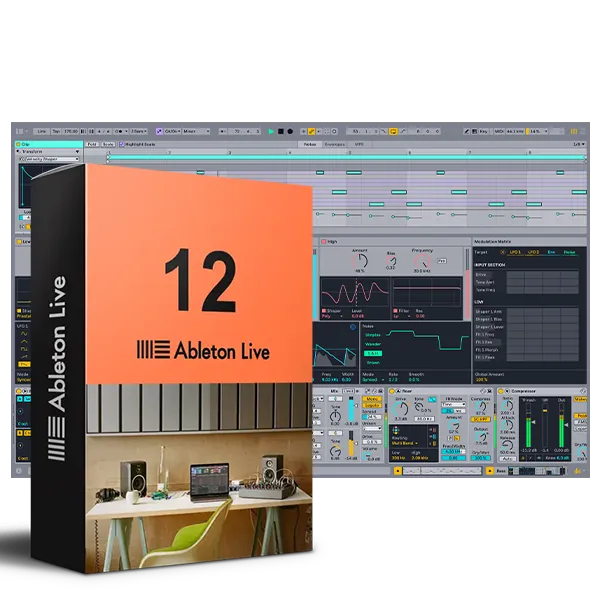
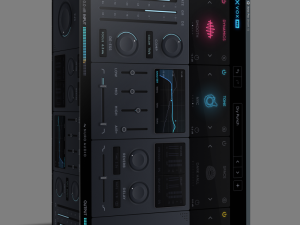
Ableton Live 12 Suite PC & Mac
Ableton Live 12 Suite delivers professional music production with dual-view workflow, comprehensive instruments/effects, and performance tools for Windows and macOS.
Original price was: $439.00.$99.99Current price is: $99.99.
Description
Ableton Live 12 Suite: Professional DAW for Music Production and Performance
For producers, performers, and musicians who want a digital audio workstation that bridges the gap between studio creation and live performance, Ableton Live 12 Suite represents a significant step forward. This isn’t just another incremental update—it’s a refined version of an already powerful platform, with enhancements that streamline workflow, expand creative possibilities, and improve how you interact with your music. Whether you’re composing electronic tracks, arranging full band recordings, or preparing for a live show, Live 12 Suite provides an integrated environment where ideas can flow from initial sketch to finished production without switching between different applications.
What distinguishes Ableton Live from many other DAWs is its dual‑view interface: the Session View for clip‑based, non‑linear experimentation, and the Arrangement View for traditional timeline‑based composition. Live 12 builds on this foundation with new tools for MIDI editing, improved browser organization, enhanced sound libraries, and subtle but meaningful interface refinements that reduce friction during creative sessions. The Suite edition includes all of Ableton’s instruments and effects—Operator, Analog, Wavetable, Sampler, Drum Synth, and more—plus a vast collection of samples, loops, and sound packs that cover virtually every genre.
Key Enhancements in Ableton Live 12 Suite
Live 12 introduces several improvements that address common workflow pain points while adding new creative capabilities. Here are some of the most notable changes:
🎛️ Redesigned MIDI Editor – More intuitive piano roll with scale highlighting, chord editing tools, and improved note manipulation.
🔍 Smarter Browser Organization – Tags, filters, and collections help you find sounds and presets faster, reducing time spent searching.
🎵 Expanded Sound Library – New instruments, effects, and sound packs covering contemporary and classic styles, all included with Suite.
✨ Enhanced Clip Detail View – More information and controls visible at a glance, making clip‑based composition more fluid.
🎹 New MIDI Generators – Tools for creating chords, melodies, and rhythms algorithmically, useful for inspiration or filling arrangement gaps.
📊 Improved Mixer and Routing – Clearer visual feedback for track routing, grouping, and sends, helping you manage complex sessions.
⚡ Performance Optimizations – Better CPU utilization and faster loading times, especially on modern multi‑core processors.
🎨 Theme and UI Refinements – Subtle visual improvements that reduce eye strain and make important controls more noticeable.
Session vs. Arrangement View: Two Ways to Work
Ableton Live’s dual‑interface approach remains one of its most distinctive features. The Session View presents a grid of clips (audio or MIDI) that can be triggered independently, in rows (scenes), or in any combination. This is ideal for improvisation, live performance, or quickly sketching ideas without worrying about timeline placement. You can record your Session View improvisations directly into the Arrangement View, capturing spontaneous moments as structured compositions.
The Arrangement View is more familiar to users of traditional DAWs: a horizontal timeline where you arrange clips, add automation, and build your track from start to finish. Live 12 enhances this view with better zoom controls, improved crossfade editing, and more responsive dragging and dropping. The seamless integration between these two views means you’re never locked into a single workflow—you can move fluidly between improvisation and detailed arrangement as your creative process demands.
Included Instruments and Effects in Suite Edition
The Suite version of Live 12 includes every instrument and effect developed by Ableton, giving you a comprehensive toolkit for sound design and processing:
- Analog: Virtual analog synthesizer modeling classic subtractive synthesis with two oscillators, filters, and modulation.
- Operator: FM (frequency modulation) synthesizer capable of everything from bell‑like tones to aggressive digital textures.
- Wavetable: Modern wavetable synthesizer with morphing waveforms, extensive modulation, and visual feedback.
- Sampler & Simpler: Powerful sampling instruments for manipulating audio files, with time‑stretching, slicing, and modulation.
- Drum Synth: Dedicated drum‑sound generator with modules for kicks, snares, hi‑hats, and percussion.
- Electric & Tension: Physical modeling instruments for realistic piano and string sounds.
- Effects Suite: Reverb, delay, compression, EQ, distortion, modulation, and mastering processors, many with unique character.
Beyond these built‑in devices, Suite includes access to Ableton’s extensive sound library—thousands of presets, samples, and loops that are regularly updated. This means you can start producing immediately without needing to purchase additional third‑party plugins or sample packs.
Add Ableton Live 12 Suite to Your Production Setup
Get a professional DAW with dual‑view workflow, comprehensive instruments/effects, and performance optimizations for Windows and macOS.
Live Performance Capabilities
While many DAWs focus exclusively on studio production, Ableton Live was designed from the ground up with live performance in mind. Features like tempo following, automatic warping of audio clips, and flexible routing make it a favorite among electronic musicians, DJs, and bands who incorporate backing tracks or electronic elements into their shows. With Live 12, these performance‑oriented tools have been further refined:
- Stable Timing: Improved timing accuracy ensures that loops and clips stay in sync, even during extended sets.
- Flexible I/O Routing: Route audio and MIDI between tracks, external hardware, and multiple interfaces with minimal latency.
- MIDI Mapping: Quickly assign any parameter to physical knobs, faders, or pads on MIDI controllers for hands‑on control.
- Set Management: Organize your live sets with collections, color coding, and nested groups for quick navigation during performances.
These features make Live 12 Suite equally at home in the studio and on stage, eliminating the need to translate your productions into a separate performance application.
System Requirements and Compatibility
Ableton Live 12 Suite runs on both Windows and macOS, with specific requirements for each platform. Here are the current recommendations:
- Windows: Windows 10 (22H2) or Windows 11 (22H2 or higher). 5th generation Intel Core i5 processor or AMD Ryzen equivalent. 8 GB RAM minimum (16 GB recommended). 1366×768 display resolution or higher.
- macOS: macOS 11 Big Sur or higher. Intel Core i5 processor or Apple Silicon (M‑series). 8 GB RAM minimum (16 GB recommended). 1280×800 display resolution or higher.
- Storage: Approximately 3 GB for the core application, plus additional space for sound libraries (which can exceed 70 GB if installing all Suite content).
- Audio Interface: ASIO‑compatible interface recommended for Windows; Core Audio compatible for macOS.
Live 12 supports VST3 and AU (macOS) plugins, allowing you to incorporate third‑party instruments and effects alongside Ableton’s native devices. The software receives regular updates that add features, fix bugs, and sometimes adjust system requirements, so check Ableton’s official website for the most current information.
Frequently Asked Questions
Complement Your Production Toolkit
If you’re building a complete music production setup, consider pairing Ableton Live 12 Suite with additional tools. Browse our VST instruments category for more synthesizers and sample libraries that work as VST3 or AU plugins in Live. For controllers that integrate seamlessly with Live’s workflow, check out our MIDI controllers and audio interfaces.
To learn more about Live 12’s specific features and official system requirements, visit the Ableton official website. For tips on transitioning from other DAWs to Ableton Live, Sound on Sound’s Live guide provides helpful starting points.
Streamline Your Music Production with Ableton Live 12 Suite
With its dual‑view workflow, comprehensive instrument and effect suite, performance‑focused design, and workflow enhancements, Ableton Live 12 Suite delivers a complete production environment that adapts to your creative process. Whether you’re sketching ideas in Session View, arranging detailed compositions, or performing live, this DAW provides the tools and flexibility to bring your musical vision to life.
Note: Ableton Live 12 Suite is a digital product. After purchase, you’ll receive a license code and download instructions. Activation requires an internet connection and an Ableton account. The license is perpetual and includes free updates within the Live 12 version cycle. Compatible with Windows 10/11 and macOS 11+.
LivePerform –
Thank you for support ! installed and working perfectly.
MichaeliZo –
Live looks great with latest update thank you !!!
SinalooAB –
The best DAW every all working great thank you !